Idle Farming Empire
- 4.3
- Rating
- 10.00M
- Installs
- Free
- Price

 Analysis by App-foxy
Idle Farming Empire is the kind of simulation game I open when I want something light, gradual, and easy to understand without committing to a long session. I build up a farm, make decisions about progress, and return later to see what has changed. That simple loop is its biggest appeal, but it also explains its main weakness: the game is designed around patience, repeated check-ins, and carefully choosing where to spend limited progress.
Developed by Futureplay, it is free to download and suitable for Everyone. The game has been available since January 26, 2016, and its long presence is reflected in a community of over ten million installs, with an average rating of 4.3 from roughly 350 thousand ratings. Those figures suggest a well-established casual audience, although popularity alone does not make every part of the experience equally comfortable.
Getting started without unnecessary friction
My first advice is to treat Idle Farming Empire as a game of short visits rather than a traditional farming simulation that expects constant hands-on control. The opening moments are easy to follow, but the best experience comes from understanding what the game is asking you to do between visits. If you rush through every available action, it is easy to spend resources without noticing which improvement will help the farm most over time.
You May Also Like

 Blood Strike: 2.5 Anniversary
Blood Strike’s Loadouts Turn Every Drop Into a Tactical Gamble
A close look at Blood Strike’s custom loadouts: how fast access to signature weapons reshapes its battle royale rhythm, rewards preparation, and narrows the gap between fights.

 Pandora - Music & Podcasts
Pandora’s Music Is Easy to Start, but Harder to Recover
Pandora’s strength is its low-effort path from a seed to a station. Its weak spot is how much confidence it asks you to place in connection, setup, and quiet recovery.

 8 Ball Pool
 Is Built on Rivalries, Rematches, and Routine
A close look at the rivalries, rematches, shared routines, and unanswered safety questions that turn a quick pool match into a persistent mobile community.

 Samsung Music
’s Quiet Strength Is Playing What You Already Own
Its reach comes less from spectacle than from dependable access to a personal library. That simplicity is both the app’s strongest retention engine and its ceiling.

 AccuWeather: Weather Radar
AccuWeather Review: A Quick, Clear Forecast for Everyday Decisions
For everyday plans, the best forecast is the one you can understand quickly. AccuWeather makes rain timing, radar, and local conditions easy to act on, with a few trade-offs.

 Hill Climb Racing
Why Hill Climb Racing Still Turns Crashes Into One More Run
A tiny car, a bumpy hill and one more upgrade: Hill Climb Racing keeps resurfacing because its simple chaos makes every near-miss feel personal.
More From Our News Desk



The initial setup is usually less about technical configuration and more about choosing a sensible rhythm. I would begin by checking that the device runs at least Android 7.0, then install the current version, 1.49.0. After that, I would play through the early guidance instead of tapping past it. In an idle game, the first instructions often establish the basic order of actions, and skipping them can make later progress feel slower than it really is.
A useful habit is to make one change at a time and watch what it improves. If several upgrades are available, I do not automatically choose the most expensive one. I look for the option that strengthens the farm's regular output or reduces the amount of waiting before the next meaningful step. This is more useful than chasing a visually attractive improvement that does not change my everyday routine very much.
Another setup check is practical: make sure the game has enough room to complete an update and that the device is not struggling with storage or background activity. I would also avoid starting a long play session while the phone is nearly out of battery or switching repeatedly between unstable connections. These are general precautions, but they matter more in a game built around returning to an ongoing process.
Where new players commonly get stuck
The most common mental trap is expecting every tap to produce an immediate reward. Idle Farming Empire is more enjoyable when I accept that some decisions are about future momentum. A short session may feel modest, especially after an upgrade, because the benefit becomes clearer after the farm has had time to work.
I also find that players can confuse a quiet screen with a failed game state. Before restarting or reinstalling, I check whether the available actions have simply reached a waiting point. I review the farm's visible progress, collect anything ready, and look for an upgrade that can be purchased with existing resources. This small routine prevents unnecessary resets caused by assuming that nothing is happening.
It is equally important to distinguish free progress from optional spending. The game is free, but it includes in-app purchases ranging from $1.99 to $109.99 per item. I would not make a purchase just because progress feels slow for a few minutes. First, I would close the game, return later, and see whether the normal idle cycle changes the situation. That pause makes it easier to decide whether an optional purchase is genuinely useful or simply a reaction to impatience.
For families, the Everyone age rating makes the game approachable, but I would still explain the purchase system before handing over the device. A child may understand the farming loop without understanding that optional items can cost real money. The safest routine is to keep spending controlled through the device's normal account settings and to agree on whether purchases are allowed at all.
How I recover a stalled workflow
When progress seems to stop, I use a simple recovery sequence. I first collect anything that is visibly ready, then inspect the available improvements, and finally leave the game for a while before checking again. This avoids making several rushed decisions in a row. In an idle title, the order matters because a small collection or upgrade can change what becomes worthwhile next.
If the screen does not respond normally, I close the game and reopen it once rather than repeatedly tapping. I check the connection if the game appears to be waiting on something, and I make sure the app is updated to the current version. If the problem continues, I restart the device before trying more disruptive steps. I would not begin by deleting the app, because that can turn a temporary issue into a progress problem if the state has not been safely preserved.
Reinstallation should be a last resort, not a routine fix. Before considering it, I would make sure I understand how my progress is handled on the device and whether any account or platform recovery option is available. That is especially important for a game that encourages progress over repeated visits. The practical lesson is simple: troubleshoot in small steps, and do not erase the local installation merely because one session behaves strangely.
There is another kind of recovery that is entirely strategic. If I have spent resources on an upgrade that feels underwhelming, I do not immediately assume the choice was wasted. I give it enough time to show its effect, then adjust my next decision. The game rewards a calmer approach more than constant correction. Trying to optimize every minute can make a relaxing farming game feel like a stressful spreadsheet.
Making the idle loop work for everyday play
My preferred routine is to check the farm during natural breaks: once before work or school, briefly during a lunch break, and again later in the day. I collect what is ready, make one considered improvement, and leave. This keeps the game from taking over the day while still giving the idle structure a purpose.
For example, if I have ten minutes before leaving home, I do not try to complete every possible task. I collect available earnings, choose the upgrade with the clearest long-term effect, and close the game. When I return in the evening, I have a better basis for judging whether that decision helped. This workflow is more satisfying than opening the game every few minutes to search for activity that has not had time to develop.
A less obvious benefit of this approach is that it exposes the game's real pacing. If I only play in rapid bursts, I may judge it as too slow. If I leave it alone for reasonable intervals, the idle design becomes more apparent. That does not make every wait exciting, but it helps me decide fairly whether the pace suits me.
I also recommend separating progress decisions from purchase decisions. First, I play normally and learn what the farm can do without spending. Then, if I still want an optional item, I can judge it against a familiar routine. This keeps the free experience from becoming difficult to evaluate and reduces the chance of buying something simply to solve a momentary annoyance.
When the app is not actually the cause
Not every delay or missing update comes from the game itself. A phone that is aggressively limiting background activity may affect how an idle experience feels when reopened. Low storage, an interrupted update, a weak connection, or a device under heavy load can also create symptoms that look like a gameplay problem.
My troubleshooting order is deliberately ordinary: check the connection, close other demanding apps, confirm there is enough storage, restart the device, and verify that the game is current. I would also avoid judging the result immediately after reopening. Give the game a moment to settle, then inspect the visible progress again. This approach is safer than changing several settings at once because it makes the cause easier to identify.
If the issue appears only on one device, I would compare the behavior after a clean restart rather than assuming the whole service is unavailable. If it happens repeatedly, I would record what I was doing immediately beforehand: collecting, upgrading, reopening after a long break, or attempting a purchase. That detail is far more useful when seeking help than simply saying that the game is broken.
Battery-saving features deserve attention too, not because they make the game unusable, but because they can change how quickly an app resumes or how smoothly it behaves after being left alone. I would test the game under normal device conditions before changing anything advanced. There is no reason to weaken sensible battery protection for a casual title unless the problem clearly points in that direction.
How it compares with other casual simulation games
Compared with a hands-on farming game, this one asks much less of me minute by minute. I do not need to plan every field action or spend a long uninterrupted session managing a detailed farm. That makes it a better fit for commuters, casual players, and anyone who enjoys watching progress accumulate in the background of their day.
The trade-off is depth. Players who want complex production chains, extensive decoration, demanding schedules, or a highly social farming world may find the idle structure too limited. A conventional management game is usually the better choice when I want every action to matter immediately. A puzzle game is also a stronger alternative when I need a complete challenge that begins and ends in one sitting.
Idle Farming Empire works best in the space between those options. It gives me a recognizable farming theme without requiring the attention of a full management simulation. The experience is less about mastering a complicated system and more about making sensible improvements, waiting, and returning at a comfortable pace. That focus is a strength for relaxed play, but a weakness for anyone who needs constant novelty.
The free entry also makes it easy to test without committing money at the start. Still, the presence of optional purchases means I would not recommend it to someone who dislikes any game economy that can be accelerated through spending. Even if I never buy anything, knowing that paid options exist may affect how I perceive the pace. That is a personal tolerance issue, not a technical flaw, but it is worth considering before installing.
Who should play it, and who should skip it
I would recommend it to someone who likes gentle progress, short sessions, and a farm theme without demanding manual control every second. It is particularly suitable for players who enjoy checking in several times a day and making small decisions rather than completing a large objective in one sitting.
I would be more cautious recommending it to a player who wants a deep agricultural sandbox, a strong story, or a game that remains equally engaging when played continuously for a long period. The idle format can become repetitive if I insist on treating it like an active simulation. It is also not my first choice for someone who becomes frustrated by waiting or feels pressured by optional purchases.
Families should appreciate the accessible age rating, but adults should still supervise spending expectations. For a younger player, the best use is a clearly bounded routine: play for a short period, avoid unplanned purchases, and focus on the basic progression. That keeps the game's relaxed character intact.
My practical verdict
After using it as intended, I see Idle Farming Empire as a pleasant, low-pressure simulation game with a clear audience. Its strongest quality is convenience: I can make progress in small visits without learning a complicated control system. Futureplay has built something that works well as a background game, provided I accept that the waiting is part of the design rather than a problem to eliminate.
The main friction comes from pacing and expectations. New players may mistake waiting for inactivity, spend resources too quickly, or blame the app for delays caused by the device or connection. A measured setup, a simple recovery routine, and a firm boundary around optional purchases solve much of that frustration.
At no cost to download, it is easy to try, and the current version gives Android users a clear compatibility point with its Android 7.0 minimum. I would install it if I wanted a farming-themed idle game for spare moments. I would skip it in favor of a more active or detailed alternative if I wanted constant control, richer strategy, or a complete session-based challenge.
My recommendation is to play it patiently, make upgrades with a plan, and judge it after several normal check-ins rather than one rushed session. That is when the game's modest but dependable charm becomes easiest to appreciate.
FAQs for Idle Farming Empire
01What is the primary objective of Idle Farming Empire?
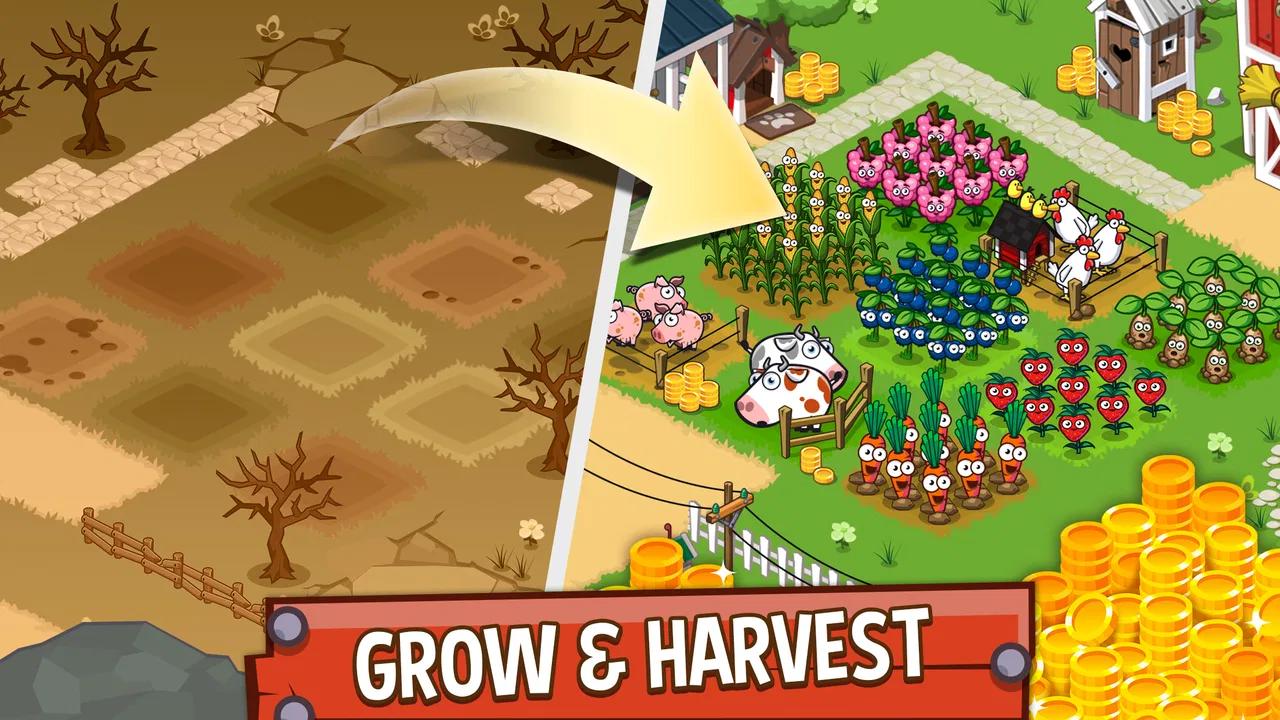
Idle Farming Empire is a simulation game where the main goal is to build and manage your own farm. Players cultivate crops, raise animals, and expand their farm to increase profits. The game continues to generate income even when you're offline, allowing you to come back to a thriving farm.
02How does the offline earning system work in Idle Farming Empire?
The offline earning system allows players to accumulate currency even when they are not actively playing the game. When you return to the app, you'll receive a summary of your farm's progress and the profits generated during your absence. This feature encourages casual play and consistent engagement without requiring constant attention.
03Are there in-app purchases in Idle Farming Empire?
Yes, Idle Farming Empire offers in-app purchases. Players can buy various items, such as coins and upgrades, to accelerate their progress. While these purchases can enhance the gaming experience, they are not necessary to enjoy or succeed in the game. Players can choose to play entirely for free.
04What kind of graphics and animations can I expect from Idle Farming Empire?
Idle Farming Empire features vibrant, cartoon-style graphics that are visually pleasing and suitable for all ages. The animations are smooth and engaging, providing a lively and cheerful atmosphere. The user-friendly interface ensures that navigating through your farm is an enjoyable experience.
05Is Idle Farming Empire suitable for all age groups?
Idle Farming Empire is designed to be family-friendly, making it suitable for players of all ages. The simple mechanics, colorful visuals, and lack of violent content ensure that both children and adults can enjoy the game. Parental guidance is advised for younger players due to the presence of in-app purchases.
Pros
- Engaging gameplay mechanics.
- Offline progress feature.
- Colorful and vibrant graphics.
- Regular updates with new content.
- Simple and intuitive controls.
Cons
- Repetitive tasks can become tedious.
- In-app purchases can be pricey.
- Requires constant internet for events.
- Ads can interrupt gameplay.
- Limited customization options.

Idle Farming Empire
Gallery